Built for the way your contacts actually look - messy.
One name across iCloud, Google, and Exchange. Two photos that disagree. A phone number that's been wrong since 2014. ContactOne treats each as a question, not a guess.
/01 - Detect
Finds the duplicates iOS pretends aren't there.
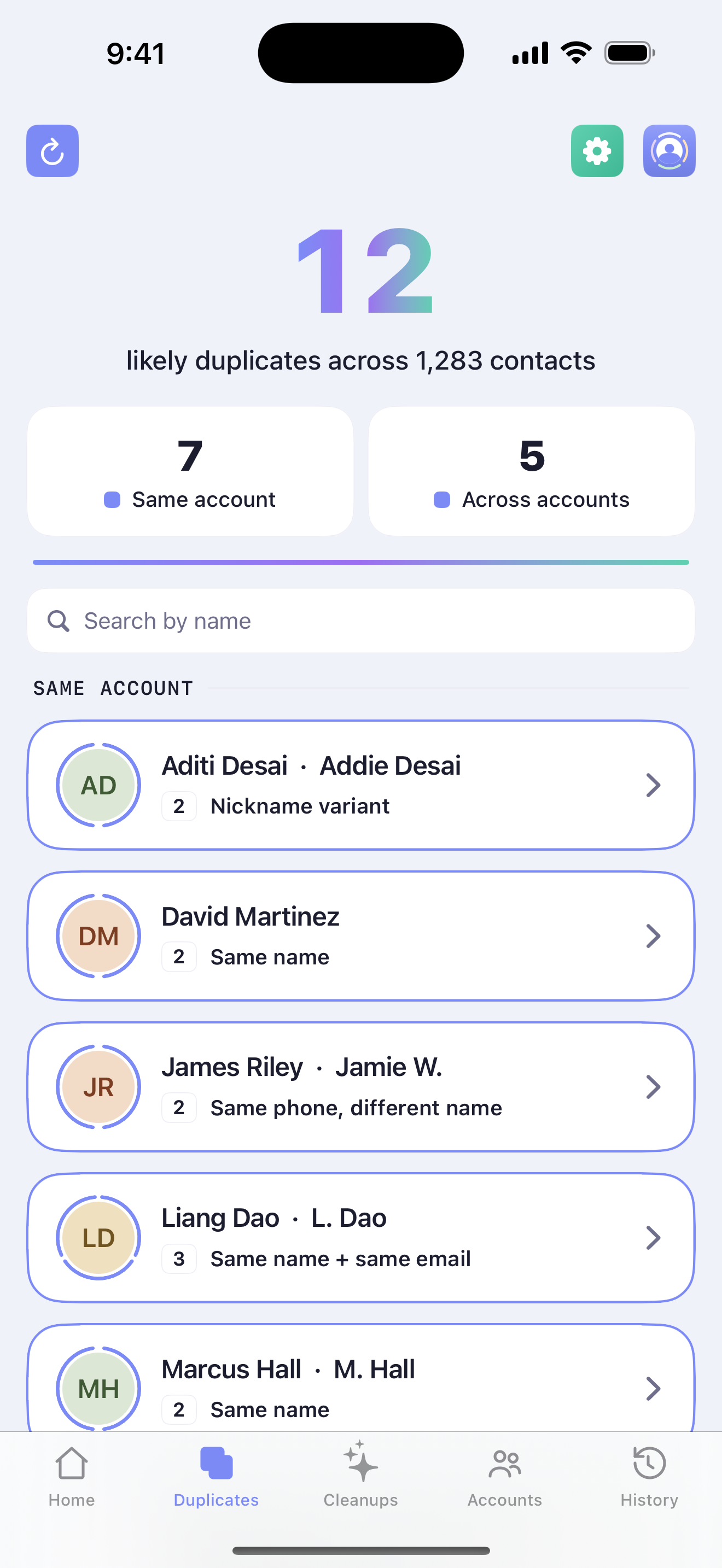
iOS visually merges contacts linked across accounts, but the underlying records stay split. ContactOne reads them honestly - fuzzy-matching names, emails, phones, and birthdays - and groups what belongs together.
/02 - Decide
You pick, field by field.
Every conflict is shown side-by-side with the source labeled. Pick the right photo, the right job title, the right number - and the destination account the merged record belongs in. Nothing is silently overwritten, and “Keep separate” permanently dismisses a pair that only looks like a match.
SC
aria@icloud.com
Adopted · iCloud
SC
aria.huang@gmail
Kept · Google
↓ merge into one
/03 - Private
Stays on your phone. Always.
Matching, merging, undoing - all of it runs on your device using the system Contacts framework. There is no ContactOne server. There is no account to sign up for.
/04 - Reversible
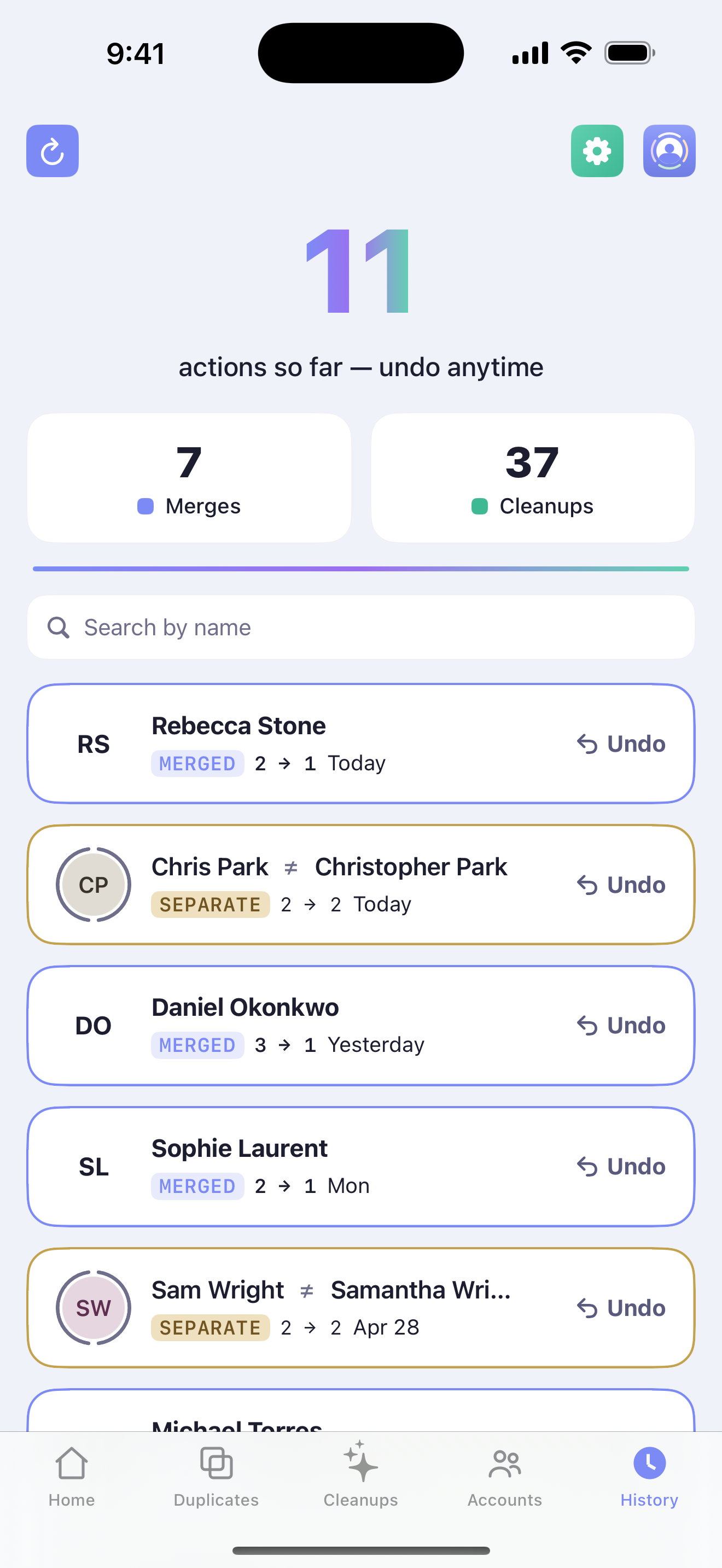
Every merge has an undo.
Changed your mind a week later? Open History, tap Undo. The original separate records come back, intact - and cleanups reverse the same way. Back up everything to a vCard first if you want a belt-and-braces snapshot. You're never one tap away from a regret.
/05 - Yours
Four palettes, both modes.
Pick the look that matches your home screen - clay, indigo, forest, or mono - and the app icon changes with it. A small thing. Most people change it once and forget. We like that.
Clay
Indigo
Forest
Mono
/ also - not the headline, but useful
See what's in each account. Move what doesn't belong.
The Accounts tab shows what's actually living in iCloud, Google, and Exchange - separately, no auto‑merging. From there you can move any contact (or a batch) to the account where it should be. Useful when you're switching jobs, consolidating into one place, or quietly auditing a sync that's been off for years.
Browse · one account at a timeMove · undo‑able, like merges
iCloud · 842
SC
Sarah Chen
work
DR
David Reyes
MO
Maya Okafor
move →
Google · 441
SC
Sarah Chen
moved
PJ
Priya Jain
Merging is just the start. ContactOne tidies the details, too.
Once the duplicates are gone, the little inconsistencies remain - a number with no country code, a SHOUTING email, a stray “Work 2” label. Cleanups gets its own tab: review what ContactOne found, apply fixes in bulk, switch individual rules off, or write your own.
Remove broken links
Dead Facebook URLs, defunct Skype handles, links that 404. ContactOne flags the ones that no longer resolve so you can drop them.
Linkfacebook.com/deactivated
Removed - link cleared
Normalize phone numbers
Add the country code and a leading “+” so every number is in full E.164 format - and dials correctly when you're travelling.
Was4165551212
Now+1 (416) 555-1212
Lowercase emails
Optional, and off by default. Turn it on and mixed‑case addresses collapse to clean lowercase - you decide whether that's your style.
WasSarah.Chen@Work.COM
Nowsarah.chen@work.com
Tidy labels
Merge the accidental duplicates iOS creates - “Work 2”, “iPhone”, “_$!<Home>!$_” - back into clean, standard labels.
Was_$!<Work>!$_ · Work 2
NowWork
Fix name casing
All‑caps imports and lowercase typos become proper case - while preserving names that are meant to be unusual, like “McKenzie” or “van der Berg”.
WasDAVID reyes
NowDavid Reyes
Your own rules
Build a rule for the quirk that's yours alone - strip a legacy prefix, standardize a company name, retag an old account. It runs on every matching contact.